Regression testing is not just a long list of things to click before a release.
For web apps, a strong regression checklist is a risk model. It helps the team decide what deserves coverage, where that coverage should live, and how quickly failures should be detected.
The goal is fast feedback where possible and deeper confidence where necessary.
Regression testing should support delivery speed, not become a bottleneck that encourages teams to bypass it.
What regression testing means for a web app
Regression testing checks whether existing behavior still works after a change.
That change might be a new feature, a dependency update, a refactor, a database migration, a design update, or a configuration change.
In a web app, regressions often appear far away from the code that caused them.
A small change to authentication can break checkout. A design-system update can hide a form error. A permission fix can accidentally expose a dashboard view to the wrong role.
That is why regression testing needs more than a generic checklist.
It needs a map of the product’s highest-value flows, highest-risk boundaries, and most fragile integrations.
Start with release risk
Not every change deserves the same regression effort.
Before testing, classify the release risk:
| Release type | Regression depth | Examples |
|---|---|---|
| Low risk | Targeted checks | Copy changes, static page updates, isolated styling fixes |
| Medium risk | Impacted flows + smoke tests | Form changes, dashboard updates, API response changes |
| High risk | Critical flows + integration checks | Auth, billing, permissions, data migrations, major refactors |
| Critical risk | Full release gate | Payments, production data changes, security-sensitive access changes |
This keeps the checklist practical.
A typo fix should not trigger a full release gate. A billing migration should.
Map the directly impacted flows
Start with the obvious question: what did this change touch?
For each release, list:
- changed pages
- changed API endpoints
- changed database tables
- changed permissions
- changed user roles
- changed background jobs
- changed third-party integrations
- changed components shared across the app
Then trace the user flows that depend on those pieces.
If a shared component changed, do not test only the page where the work happened. Test the most important screens that reuse it.
Authentication and session checks
Authentication regressions are high-impact because they block access to the whole product.
Include checks for:
- login with valid credentials
- login with invalid credentials
- logout
- expired sessions
- password reset
- multi-factor authentication if enabled
- social or SSO login if supported
- redirect behavior after login
- protected routes for logged-out users
Session behavior is especially easy to miss.
A user might be able to log in successfully, but still lose their session after refresh, fail on a protected route, or land on the wrong page after authentication.
Authorization and permissions
Authentication asks who the user is.
Authorization asks what that user is allowed to do.
Regression checks should cover both the UI and the API.
UI-only permission checks are not enough. A hidden button does not prove that a direct API request is blocked.
Test:
- admin access
- standard user access
- read-only roles
- workspace or organization boundaries
- project-level permissions
- direct access to restricted URLs
- direct API calls for restricted actions
This is one of the best places to combine API tests with browser checks.
The browser check verifies the product experience. The API check verifies the security boundary.
Critical user journeys
Every web app has a small number of flows that define whether the product is working.
These are the flows worth protecting first.
Examples:
- sign up -> onboard -> reach first value
- log in -> open dashboard -> complete primary action
- create project -> invite teammate -> assign role
- upload file -> process data -> view result
- search -> filter -> open result -> export report
- checkout -> receive confirmation -> access paid feature
The right list depends on the product.
For a SaaS app, signup and billing may matter most. For an internal tool, role-based access and data accuracy may matter more.
Forms and validation states
Forms fail in more ways than “submit works” or “submit does not work.”
Regression checks should cover:
- required fields
- invalid formats
- long input
- duplicate submissions
- loading states
- disabled states
- server-side validation errors
- network failures
- success states
- data persistence after refresh
Client-side validation is useful, but it should not be the only protection.
For important forms, test the full path from user input to server response to stored result.
Payments, billing, and subscriptions
Billing regressions can create support incidents even when the rest of the app looks healthy.
If the product is monetized, test:
- checkout start
- successful payment
- failed payment
- cancelled checkout
- webhook handling
- invoice or receipt delivery
- subscription upgrade
- subscription downgrade
- plan limits
- access after payment
- access after cancellation
Payment success without product access is still a serious regression.
So is product access without the expected billing state.
API contracts and backend behavior
Modern web apps often fail because the frontend and backend drift out of sync.
Regression checks should include API contracts for important endpoints.
Cover:
- status codes
- response shape
- required fields
- empty responses
- pagination
- filtering
- sorting
- authorization errors
- rate limits if relevant
- backward compatibility for existing clients
Do not rely only on happy-path browser flows.
A browser check may pass with one dataset while the API is already returning incomplete or unstable data for another user.
Data migrations and data integrity
Database migrations deserve their own regression thinking.
Before deployment, check:
- migration runs successfully
- rollback plan exists where possible
- existing records still load
- new records can be created
- required fields have safe defaults
- indexes and constraints behave as expected
- reports and dashboards still calculate correctly
- background jobs can read the migrated data
After deployment, run production-safe checks against real system behavior.
Avoid destructive checks in production. Use read-only checks, synthetic accounts, or controlled test data.
Empty, loading, error, and degraded states
Regression suites often over-test perfect data and under-test real product states.
Include checks for:
- empty dashboards
- empty search results
- slow responses
- failed requests
- partial data
- permission-denied states
- expired links
- deleted records
- offline or degraded integrations
These states matter because users hit them constantly.
They also expose UI bugs that happy-path tests miss, such as hidden buttons, broken layouts, misleading messages, and stuck loading indicators.
Responsive and browser-specific risks
You do not need to test every browser and viewport for every release.
You do need to test responsive and browser-specific risks when the change touches layout, navigation, forms, uploads, media, charts, or complex interactions.
Prioritize:
- mobile navigation
- sticky headers and footers
- modals
- tables
- file uploads
- date and time inputs
- charts and canvases
- scroll containers
- keyboard interactions
Cross-browser testing is most useful when it is targeted.
Run broad cross-browser checks on a schedule. Run focused cross-browser checks when a release touches known fragile areas.
Emails, jobs, queues, and webhooks
Some regressions happen outside the visible browser session.
For products with asynchronous behavior, include:
- email delivery
- email links
- background job execution
- queue retries
- webhook receipt
- webhook signature validation
- notification delivery
- delayed status updates
- eventual consistency
The user flow is not complete when the button click succeeds.
It is complete when the expected downstream work happens.
Search, tables, reports, and realistic data
Dashboards can look fine with empty test accounts and fail with real product data.
Use realistic data for:
- tables
- filters
- search
- sorting
- pagination
- exports
- reports
- charts
- permission-scoped lists
Include edge cases such as long names, missing optional values, many records, duplicate labels, and mixed statuses.
This is especially important for admin panels and operational dashboards.
Previously fixed bugs
Every high-impact bug should trigger one question: can this failure realistically return?
If yes, add a regression check at the lowest reliable layer.
That might be a unit test, component test, API test, browser check, or production-safe synthetic monitor.
Do not turn every bug into an end-to-end test.
The best regression test is the cheapest test that catches the failure clearly.
CI/CD regression checks
Regression testing works best when the pipeline runs the right checks at the right time.
On pull requests:
- linting
- type checks
- unit tests
- component tests
- fast API contract checks
- targeted browser smoke tests
Before deployment:
- critical-path E2E checks
- integration checks
- migration checks if needed
- selected visual checks for high-risk UI changes
After deployment:
- production-safe smoke tests
- synthetic user flows
- key API health checks
- monitoring and alert checks
On schedule:
- broader regression suite
- cross-browser checks
- visual regression checks
- slower end-to-end flows
- lower-priority edge cases
The purpose is not to run everything all the time.
The purpose is to catch obvious failures early and deeper failures at the right moment.
What to automate first
Do not automate the entire checklist at once.
Prioritize tests by impact, frequency, stability, and maintenance cost.
Use this as the first-pass prioritization table:
| Flow or risk area | Automate first? | Best test layer | Why it matters |
|---|---|---|---|
| Login and session | Yes | E2E smoke + API | If access breaks, the product is effectively down. |
| Signup or onboarding | Yes | E2E | It protects activation and first value. |
| Permissions boundary | Yes | API + E2E | UI-only checks miss direct API access. |
| Checkout or subscription | Yes, if monetized | E2E + webhook/integration | Payment success without app access still creates a production incident. |
| Critical form submission | Usually | Component/API + selected E2E | Most bugs hide in validation, loading, and server-error states. |
| Dashboard with realistic data | Usually | E2E smoke | Empty test accounts do not reveal table, filter, permission, and loading issues. |
| Visual layout | Selectively | Visual regression | Use it on stable, high-value screens, not every page. |
| Previously fixed high-impact bug | Case by case | Lowest reliable layer | Automate it when the failure can realistically return. |
| Production-safe smoke after deploy | Yes | Synthetic browser check | It catches deploy, config, auth, and routing failures quickly. |
Good first regression tests are stable, high-value, and easy to debug.
Bad first regression tests are low-value, highly dynamic, difficult to set up, and likely to fail for reasons unrelated to product quality.
The first goal is not maximum coverage.
The first goal is a regression suite the team actually trusts.
For a practical framework for choosing that first workflow, read what to automate and what to keep human.
Where AI agents fit into regression testing
AI does not remove the need for a regression strategy.
It helps teams operationalize that strategy faster.
In a technical QA workflow, AI agents can help with:
- converting product flows into regression scenarios
- generating initial browser checks or Playwright-style test drafts
- suggesting edge cases from visible UI, form states, and route behavior
- turning bug reports into regression candidates
- identifying impacted flows from a code change or issue description
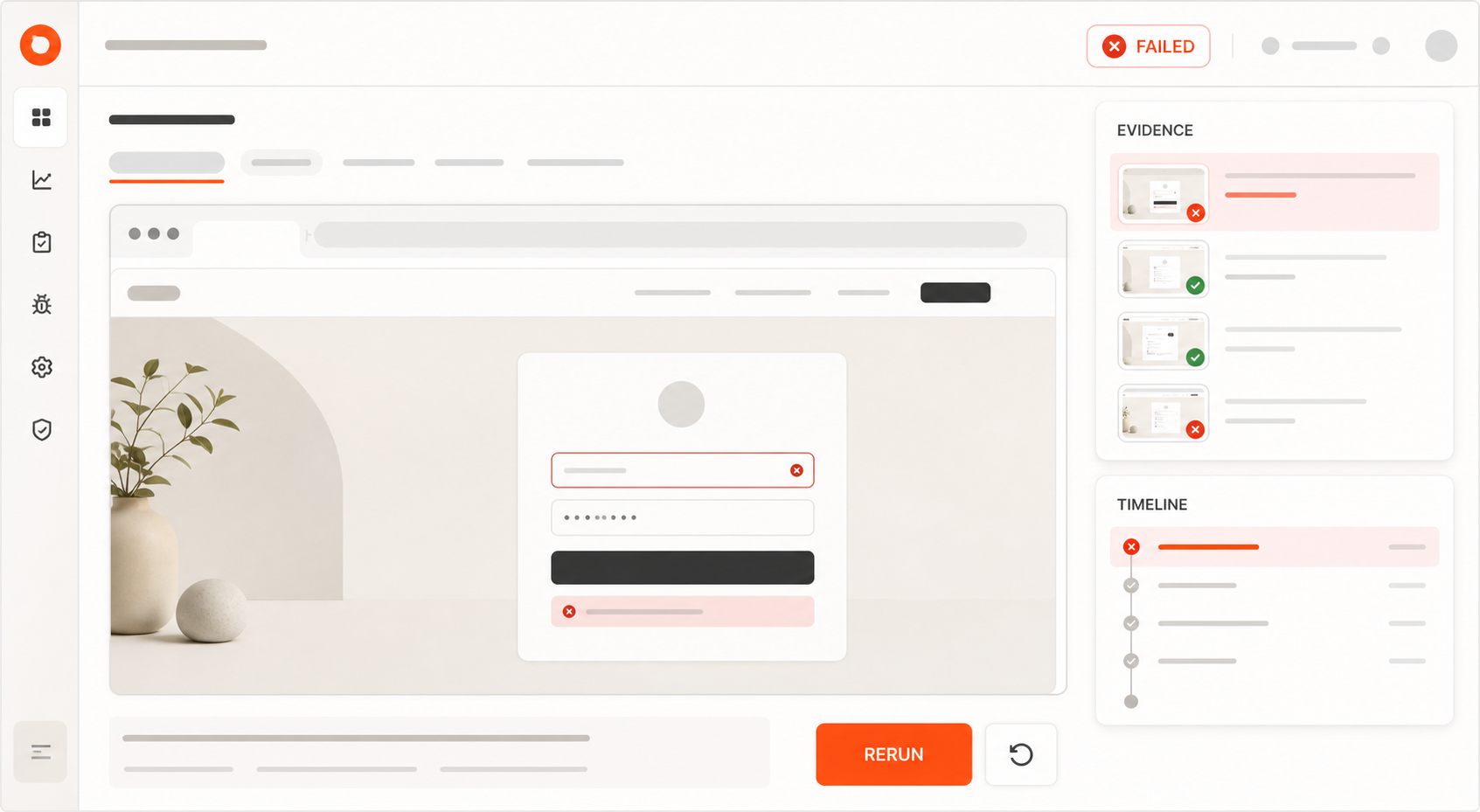
- producing reports with screenshots, traces, and failure summaries
- helping maintain regression coverage as the product evolves
The value is not “AI clicking around randomly.”
The value is structured, repeatable QA work: flows, assertions, evidence, reports, and continuous checks.
For example, an AI-assisted workflow can take a critical flow such as:
login -> create project -> upload file -> generate reportand help turn it into a regression scenario that can be reviewed, executed, and improved over time.
That is where tools like AlwaysQA can fit into a modern QA stack.
AlwaysQA helps teams create and run regression checks for critical web app flows before releases, after deployments, or on a schedule.
Example AlwaysQA check:
User can log in, create a project, upload a CSV file, wait for processing,
and see the generated report with no console errors or failed network requests.
That kind of check is specific enough to run repeatedly and broad enough to catch a real product regression.
The practical starting point is simple: describe one business-critical flow in plain English, run it in a browser, and keep the failure report close enough that a developer or coding agent can act on it.
Final regression testing checklist
Use this condensed checklist before a release:
- Has the release risk been classified?
- Are directly impacted flows covered?
- Are shared components covered?
- Are authentication and session behaviors still valid?
- Are authorization rules tested at UI and API level?
- Are billing and subscription states covered if impacted?
- Are critical user journeys tested end-to-end?
- Are forms tested through validation and state transitions?
- Are API contracts stable?
- Are migrations and data integrity risks covered?
- Are empty, loading, error, and degraded states tested?
- Are responsive and browser-specific risks reviewed?
- Are emails, jobs, queues, and webhooks validated?
- Are tables, filters, search, and reports tested with realistic data?
- Have previously fixed bugs been reviewed for regression coverage?
- Is the test environment deterministic?
- Are flaky tests tracked and owned?
- Does the CI/CD pipeline run the right tests at the right time?
- Are production-safe smoke checks in place after deployment?
A strong regression checklist is not a long list of things to click.
It is a risk model.
It helps the team decide what deserves coverage, where that coverage should live, and how quickly failures should be detected.
Turn your regression checklist into running tests
A checklist is useful.
A running regression suite is better.
AlwaysQA helps teams protect critical web app flows after deployment, including signup, login, checkout, dashboards, forms, permissions, integrations, and previously fixed bugs.
Use it to monitor important user journeys, catch regressions earlier, and keep product quality visible after every release.
If your team already knows which flows break releases, start there.
Pick one login, checkout, onboarding, upload, billing, or dashboard flow and turn it into a repeatable browser check.
Start monitoring your app with AlwaysQA
FAQ
What should be included in a regression testing checklist for web apps?
A regression testing checklist for web apps should include authentication, authorization, critical user journeys, forms, payments, API contracts, data integrity, integrations, empty/loading/error states, CI/CD checks, flaky test ownership, and production-safe smoke tests.
How often should regression tests run?
Fast checks should run on pull requests. Critical-path browser checks should run before deployment, after deployment, or on a daily schedule for high-value production flows.
What regression tests should be automated first?
Start with flows that are valuable, stable, and easy to debug: login, signup, password reset, checkout, permissions, core dashboard actions, critical form submission, and one production-safe smoke test.
Can AI agents help with regression testing?
Yes. AI agents can help turn plain-English flows, bug reports, and release risks into critical-flow checks, failure summaries, screenshots, reproduction notes, and test maintenance tasks. They still need clear scope and assertions.
What is the difference between smoke testing and regression testing?
Smoke testing checks whether the product is basically alive after a build or deploy. Regression testing checks whether existing behavior still works after a change. A good QA strategy uses both.