Automated regression testing uses software to rerun checks after a change and confirm that existing behavior still works. The ISTQB Foundation Level syllabus describes regression testing as checking that a change has not caused adverse consequences elsewhere in the system.
For a web team, the best first candidates are usually critical user workflows that consume QA time, repeat frequently, have a controlled starting state, and produce an observable result. The goal is not to automate every test or remove quality assurance (QA) professionals from the decision. It is to take repetitive work out of the QA queue while giving people enough evidence to trust the result and investigate exceptions. Automation changes how the checks run; it does not choose the right coverage or define what a correct result looks like.
A form that took about two days to regression test
One of AlwaysQA’s founders remembers a feature from a former workplace that looked straightforward from the outside: a user-facing, multi-page quiz.
The form contained more than ten questions. Its behavior varied depending on the account and user role. Different answer paths produced a calculated result, and the application had to save that result correctly.
For each scenario, a QA engineer had to:
- sign in with an account prepared for that case;
- move through the role-specific version of the form;
- consult a separate source of truth for the expected answers;
- exercise correct and incorrect paths;
- verify the calculated result and confirm that it was saved.
Then the process had to be repeated across other accounts, roles, and paths. The founder recalls the complete regression pass taking about two days for the QA team. Other development work waited while the checks were completed.
The team did not have an automation process for this workflow. In that context, a code-based browser suite appeared expensive to create and maintain. It would have needed to represent every relevant account state, role, form variant, answer path, calculation rule, and expected result.
That does not mean a framework such as Playwright or Cypress could not automate the form. It reveals the real design problem: in this former team’s case, the hard part was not clicking through the pages. It was maintaining the expected-result model behind every path.
Regression testing is not the same as retesting a fix
The terms are often mixed together during release work, but they answer different questions.
- Confirmation testing asks whether a specific defect was fixed. If your team uses “retesting” for that activity, this is the formal ISTQB term.
- Regression testing asks whether a change caused an adverse effect in behavior that should still work.
The distinction matters because a successful fix does not prove that related behavior remains intact. The current ISTQB syllabus treats confirmation and regression as separate change-related testing activities and notes that regression effects can appear in the changed component, elsewhere in the same system, or in connected systems.
Regression testing can also happen at different layers. A unit check can protect one calculation. An API check can protect a data contract. A browser check can protect a complete user-visible workflow. A person can explore behavior that is ambiguous or difficult to specify in advance.
Manual and automated regression are therefore not competing definitions. Regression describes the purpose of the check. Manual or automated describes how it is performed.
What should you automate first?
Do not begin with the largest regression checklist. Begin with one workflow that is valuable enough to protect and bounded enough to evaluate.
Use this decision matrix to screen candidates:
| Factor | Strong automation signal | Warning signal |
|---|---|---|
| Business criticality | Failure blocks a core journey such as sign-in, checkout, billing, or permissions | The workflow has little effect on users or releases |
| Repetition | QA performs substantially the same check for many releases | The check is rare or still changing every day |
| Observable result | The expected state can be seen in the interface or verified in a reliable output | Success depends mainly on taste or interpretation |
| Starting state | The account, permissions, environment, and data can be prepared consistently | Test data is unknown, shared, or changes underneath the run |
| Path stability | The intent stays consistent even if implementation details move | The product team has not agreed on the intended behavior |
| Manual burden | Repetition consumes meaningful QA time or delays other work | Automation would cost more to maintain than the work it removes |
| Failure consequence | A regression would affect users, revenue, access, or release confidence | Failure is low-risk and easy to notice elsewhere |
A candidate does not need a strong automation signal in every row. But if you cannot describe its starting state and expected result, you are not ready to automate it. You are asking a tool to discover the requirement while also judging whether the requirement was met.
The form example did not need to begin with every possible combination. One bounded path could have established a trustworthy first unit of regression work that the team could expand deliberately.
Choose what must be proven before choosing how to automate it
A browser test is valuable when the question is about the whole user journey. It is a poor place to prove every internal rule.
The Cypress documentation on testing types draws a useful distinction: component tests isolate part of the interface, API tests exercise endpoints without rendering a page, and end-to-end tests run through the browser and backend as a cohesive system. Cypress also notes that end-to-end tests can require more setup, infrastructure, and maintenance. Its guidance expects teams to use a combination of test types rather than one layer for every problem.
| Test scope | Use it to prove | Limitation |
|---|---|---|
| Unit or component | Calculation rules, conditional interface logic, and isolated edge cases | Whether the deployed journey works across systems |
| API or integration | Data contracts, permissions, persistence, and backend calculations | What a user can see and complete in the browser |
| Browser end-to-end | The complete user-visible journey across the interface and backend | The precise internal cause of a failure |
For the quiz, the calculation rules could be protected below the browser. Data retrieval and persistence could be checked at the API or integration layer. A browser-level test could then answer the narrower integrated question: can a user with this prepared role complete this path and receive the expected saved result?
This is a stronger design than asking one browser check to diagnose every possible cause. When it fails, lower-level coverage can help the team determine whether the problem lies in the answer data, calculation, persistence, or interface.
Then choose how to run the browser check
Once the team knows that a browser-level check is justified, it can choose an execution approach. These options are not mutually exclusive.
| Execution approach | Consider it when | Keep in mind |
|---|---|---|
| Code-driven deterministic automation | The path is stable and the team wants explicit control over each action and assertion | The team owns the setup, code, test data, and maintenance |
| AI-guided browser execution | The workflow has a clear user-visible intent and outcome, and the team wants to evaluate an alternative to maintaining fixed interaction steps | It still requires controlled test state, explicit success criteria, evidence, and human review of uncertainty |
| Human exploration | The behavior is new, ambiguous, high-risk, or depends on product and domain judgment | It is expensive and inconsistent for repeating the same well-understood path every release |
Following the real user path does not make a browser test universally more reliable than other tests. It makes it evidence for a different question. Playwright’s testing guidance recommends checking user-visible behavior while avoiding hidden implementation details. It also recommends isolated tests with their own state because isolation improves reproducibility and prevents one failure from contaminating another.
Design the verdict before you automate the path
An automated test is only as useful as the decision it supports. Define the verdict and its evidence before choosing how the browser will move through the page.
For one regression workflow, write down four things:
- Starting state: Which environment, account, role, permissions, and data must exist before the run?
- Instructions: What user goal or path should the check attempt?
- Success condition: What observable result proves that this specific path worked?
- Failure evidence: What would help a developer understand where observed behavior diverged from the expected result?
For the anonymized form, a bounded specification could look like this:
- Starting state: a prepared test account assigned to one role;
- Instructions: complete one defined answer path and submit the form;
- Success condition: the expected result appears and the application saves it;
- Evidence: the scenario label, answers selected, expected result, observed result, failure step, and relevant browser observations.
The success condition is deliberately observable. “The form works” is too vague. “The expected result appears and remains available after submission” is something a run can evaluate.
Failure evidence should also help route the problem. If the expected answer or calculation differs from the stored data, the backend may need investigation. If the data is correct but the form shows, submits, or displays it incorrectly, the frontend may be the stronger lead. Evidence does not replace diagnosis, but it should prevent QA from rebuilding the entire path just to explain what happened.
How this maps to AlwaysQA
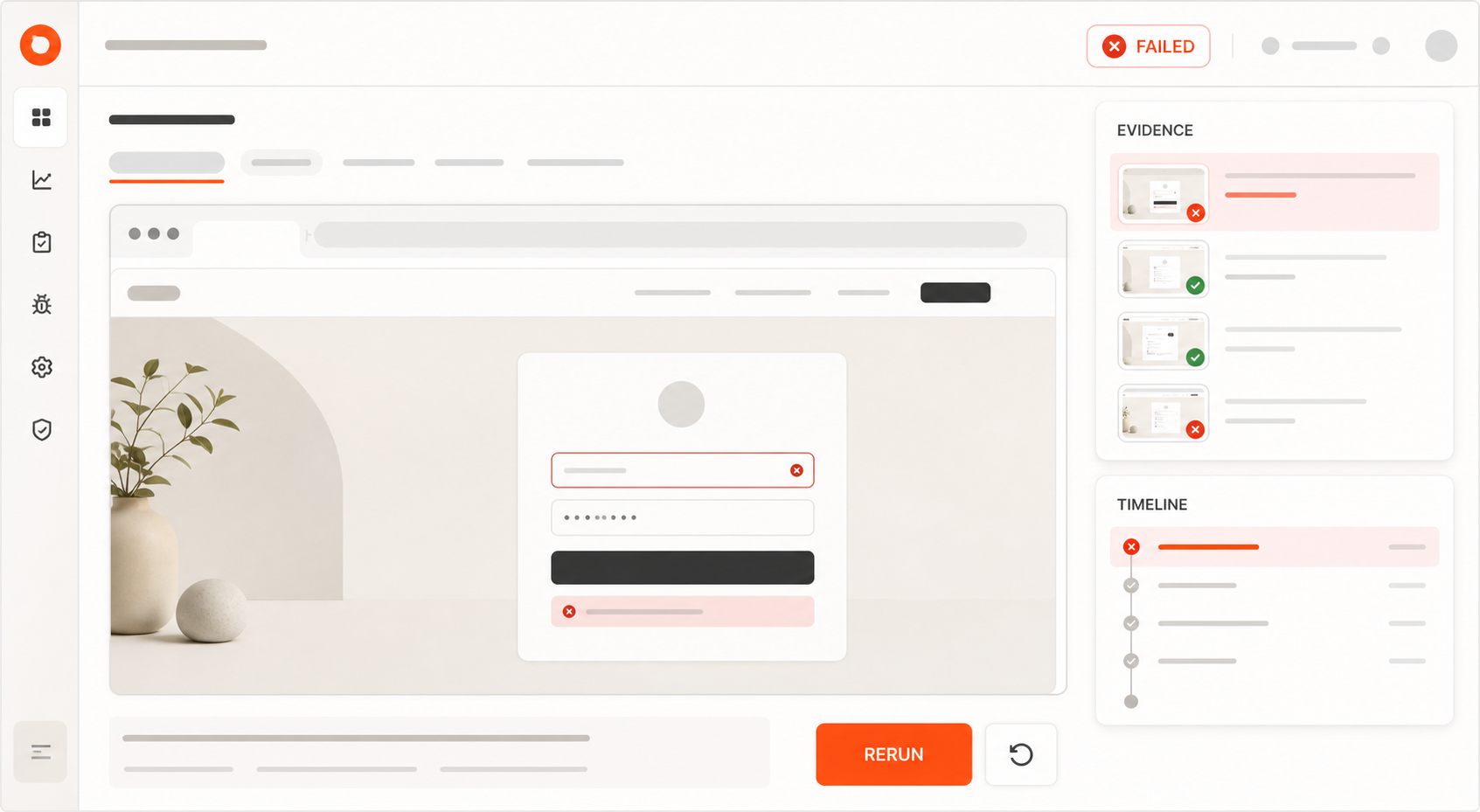
AlwaysQA is an AI-guided browser QA product for repeatable web-application workflows. Its current workflow supports the core of this model. A Test Case contains a Starting URL, plain-language Instructions, and an observable Success Condition. After a fresh AI-guided browser Run, AlwaysQA returns one of three Outcomes—Passed, Failed, or Needs Attention—with Evidence that can include a summary, observations, an action timeline, and a temporary replay.
In AlwaysQA, Needs Attention separates an inconclusive run from an observed failure. When the agent cannot reach a confident conclusion or execution prevents a reliable check, it avoids forcing the result into a misleading pass or failure. Runs can be started on demand or on a Daily or Weekly Schedule. The current workflow is documented in How AlwaysQA works.
These are product capabilities, not a promise that every workflow will run without maintenance or human review. AlwaysQA should complement the checks a team already trusts, not replace them by default.
What should stay with human QA?
Automation can perform a defined check. It does not own the quality strategy.
Human QA should remain involved when the work requires:
- deciding which risks and variants deserve coverage;
- turning product intent into an observable success condition;
- exploring behavior that was not anticipated in a script or prompt;
- judging confusing UX or ambiguous requirements;
- investigating Failed or Needs Attention results;
- approving high-risk releases;
- specialist accessibility, security, performance, or domain testing.
A passing browser run provides intentionally limited evidence: one path reached one expected condition from one starting state during that run. It does not prove that every role, answer combination, browser, integration, or risk is covered.
That boundary is healthy. Once the team trusts the check, routine passing runs can leave the manual queue while QA professionals spend more time on coverage, investigation, and judgment. But the team should earn that trust through review rather than assume it because a test passed several times.
Start with a one-workflow regression pilot
You do not need a complete regression suite to learn whether automation is helping. A contained pilot is easier to review and easier to stop if the test does not produce useful evidence.
1. Choose one repeated, critical path
Pick a workflow the team already checks frequently. Avoid the most complex feature simply because it consumes the most time. The first candidate should have an agreed purpose and a result the team can observe.
2. Record the manual baseline
Before automating it, record how often QA runs the check, how long a typical pass takes, what setup it needs, and what other work waits. This is your baseline for deciding whether the pilot removes useful work. It is not an industry benchmark.
3. Define one complete test
Complete this template:
- Start with: the environment, account, role, permissions, and required data.
- Attempt: one user-visible goal or path.
- Expect: one observable result.
- Capture on failure: the expected result, observed result, divergent step, and browser evidence.
If the environment or data cannot be reset safely, resolve that before scheduling repeated runs.
4. Review every early result
Run the test on demand first. Check whether a Passed result matches reality and whether a Failed or Needs Attention result contains enough evidence to act. Early human review is how the team learns where the specification, data, or execution needs work.
While the check is being calibrated, run it on demand after relevant changes and review the result. Once it is trustworthy, choose a cadence that matches the workflow’s risk and change frequency: an on-demand check before a release, or a Daily or Weekly Schedule for recurring coverage. Schedule a state-changing workflow only when its account and data can be reset safely.
5. Expand one variable at a time
After the first path is trustworthy, add one role, data variant, browser, or cadence change at a time. This makes failures easier to attribute and prevents a large suite from hiding weak assumptions.
Track outcomes that describe useful work, not vanity coverage:
- manual effort before and after the pilot;
- runs completed without manual repetition;
- Failed and Needs Attention rates;
- false or inconclusive results found during human review;
- investigation and maintenance effort;
- QA work or release steps that still wait on people.
Do not declare success because the test count increased. The pilot is useful when the team trusts the evidence and can show that a meaningful repeated task no longer consumes the same QA attention.
Earn trust one workflow at a time
Choose one valuable repeated workflow, record its manual baseline, and define the evidence needed to trust its result. Review the early runs and expand only when that first check earns the team’s confidence.
If you have one critical browser workflow ready, you can create your first AlwaysQA Test Case and evaluate it from a clear Starting URL to an observable Success Condition.