AI Testing Tools for Software QA: What to Automate and How to Choose

Compare AI testing tools by job, evidence, maintenance, and Playwright fit. See where AlwaysQA helps, where it does not, and how to run a fair pilot.

Category

QA Automation

Reading time

10 min read

Published

Sep 2, 2026

AI Testing Tools for Software QA: What to Automate and How to Choose

AI testing tools can generate tests, navigate applications, compare interfaces, maintain automation, or help explain failures. Those jobs are not interchangeable. The right choice depends on what your team wants to automate, what must remain deterministic, who will maintain the coverage, and what evidence people need when a test fails.

The short answer is that there is no single best AI testing tool for every software QA team.

A team that wants test code in its repository may need Playwright plus an AI coding assistant. A manual QA team may prefer a managed platform with plain-language authoring. A design system may need visual AI. A team building an AI agent needs evaluations and scoring. A product team protecting critical workflows after deployment may need a separate post-deploy QA layer.

This guide gives you a framework for choosing between those categories without treating every product that uses AI as a substitute for every other one.

Disclosure: AlwaysQA publishes this guide and is included in the comparison. The descriptions of other products are based on their public documentation, reviewed on September 2, 2026. We have not independently tested every product or every plan. Capabilities and pricing change, so verify important requirements with each vendor before buying.

What are AI testing tools?

AI testing tools apply model-driven techniques to one or more parts of the software testing lifecycle. They may turn natural-language intent into test steps, choose how to navigate a browser, identify visual differences, adapt to interface changes, analyze failures, or prioritize what should run.

That definition covers several different markets.

CategoryWhat AI helps automateTypical outputRepresentative option
Code-first browser testingTest generation assistance around engineered automationTest code, assertions, traces, reportsPlaywright with a coding assistant
Managed AI test authoringCreating and maintaining tests from natural language or recorded flowsPlatform-managed test cases and resultsmabl
Visual AI testingComparing rendered interfaces and identifying meaningful visual changesVisual checkpoints, baselines, and diffsApplitools
AI and agent evaluationScoring model outputs, tool calls, trajectories, and production tracesDatasets, experiments, scores, and tracesBraintrust
Agent-first post-deploy QAAttempting saved customer workflows and returning evidence after deploymentOutcomes, observations, action timeline, and replayAlwaysQA

These products should not be ranked as though they solve the same problem. The useful question is not “Which tool has the most AI?” It is “Which testing job are we asking AI to perform?”

AI software testing is not the same as testing an AI agent

The phrase “AI testing” is ambiguous.

AI software testing uses AI to help test a conventional product: a SaaS dashboard, ecommerce checkout, account portal, form, or browser workflow.

AI agent testing evaluates an agentic system itself. It examines whether the agent selected the right tool, supplied valid arguments, followed an acceptable path, reached the intended outcome, and stayed within safety boundaries across repeated runs.

Braintrust describes agent evaluation as testing both the final task result and the sequence of decisions and tool calls that produced it. That work needs datasets, scorers, repeated trials, and trace analysis—not only browser checks. See Braintrust’s guide to agent evaluation.

AlwaysQA currently belongs to the first category. It uses an AI-guided browser agent to verify critical workflows in a web application. It is not an evaluation platform for testing the reasoning quality, safety, or tool-use accuracy of your own AI agent.

Start with the testing job, not the tool category

Before comparing AI quality assurance tools, write down the result you need.

If your main need is…Start by evaluating…Why
Engineers owning precise browser tests in GitPlaywright and AI-assisted code generationThe team controls the code, assertions, fixtures, CI behavior, and review process.
Non-engineers creating repeatable tests in plain languageManaged AI test-authoring platformsThe platform reduces the amount of test code the team must write and maintain directly.
Detecting layout, rendering, and cross-browser visual regressionsVisual AI platformsFunctional assertions often miss changes that are obvious to a person looking at the page.
Evaluating an LLM application or autonomous agentAI evaluation platformsProbabilistic outputs and tool-using trajectories require scoring, datasets, and repeated trials.
Checking whether a critical customer journey still works after deploymentPost-deploy browser QAThe valuable output is a durable result and failure evidence tied to the released application.

One team may need more than one category. A Playwright suite, visual checkpoints, API contract tests, accessibility checks, and post-deploy critical-flow verification can coexist because they answer different questions.

The best AI testing tools depend on what you want to own

Ownership is one of the biggest differences between AI testing tools.

Playwright: own the test code and execution model

Playwright Test is a code-first end-to-end framework. It includes a test runner, assertions, isolation, parallel execution, and tooling for Chromium, Firefox, and WebKit.

Playwright itself is not an AI testing tool. A coding assistant can help generate or update Playwright tests, but your team still owns the resulting files, fixtures, selectors, assertions, CI configuration, and maintenance.

Choose this approach when:

  • test code must live in the repository;
  • engineers need precise control over network behavior, fixtures, and assertions;
  • tests must run on pull requests or act as CI release gates;
  • you need broad, deterministic coverage maintained as software;
  • framework portability matters more than avoiding test code.

The trade-off is ownership. Generated code still requires review. A plausible test can assert the wrong outcome, mock away the failure you needed to catch, or pass without proving the customer result.

mabl: use AI to accelerate managed test creation

mabl’s public documentation says its Test Creation Agent can generate browser, mobile, and API test steps from natural-language intent. For browser tests, it can build steps, reuse existing flows, and add visual assertions. See mabl’s Test Creation Agent documentation.

Choose a managed authoring platform when:

  • manual testers or product specialists need to contribute automation;
  • reducing code-level authoring is more important than owning framework-native files;
  • the team wants creation, execution, maintenance, and reporting in one product;
  • web, mobile, or API coverage should share a managed workflow.

The trade-off is platform dependence. Ask what can be exported, how test logic is versioned, which parts require human completion, and what happens to the suite if you stop using the service.

Applitools: add visual AI where DOM assertions are insufficient

Applitools focuses on visual validation and offers both framework integrations and no-code test authoring. Its documentation describes SDK support for Playwright and other frameworks, visual checkpoints, cross-browser rendering, and AI-assisted maintenance. See the Applitools SDK overview and Visual AI execution overview.

Choose visual AI when:

  • visual regressions are expensive or common;
  • the same interface must render correctly across browsers and viewports;
  • component and design-system changes create noisy pixel comparisons;
  • you want to add visual checkpoints to an existing Playwright suite.

The limitation is scope. A visual checkpoint can prove that a screen changed or looks wrong. It does not automatically prove that the underlying business transaction completed, the correct record was stored, or a downstream system received the expected event.

Braintrust: evaluate AI applications and agents

Braintrust is an evaluation and observability platform for LLM applications and agents. Its experiments combine test data, a task, and scorers, and its agent-evaluation guidance covers multi-step decisions, tool calls, outcomes, and repeated trials. See the Braintrust experiments documentation.

Choose an AI evaluation platform when:

  • the system under test is an LLM application or AI agent;
  • outputs may be valid without being identical;
  • you need scored datasets, experiment comparisons, or production traces;
  • tool choice, argument construction, safety, and trajectory quality matter.

This category is not a substitute for conventional software QA. An agent can score well while the checkout page it depends on is broken. The deterministic code and user-facing application still need their own tests.

AlwaysQA: verify critical flows after the coding agent ships

AlwaysQA is an agent-first MCP QA service for developers and product owners. You define a browser Test Case in plain language with a starting URL, workflow, and observable Success Condition. A fresh AI-guided agent attempts the flow in a managed browser on demand or on a Daily or Weekly schedule.

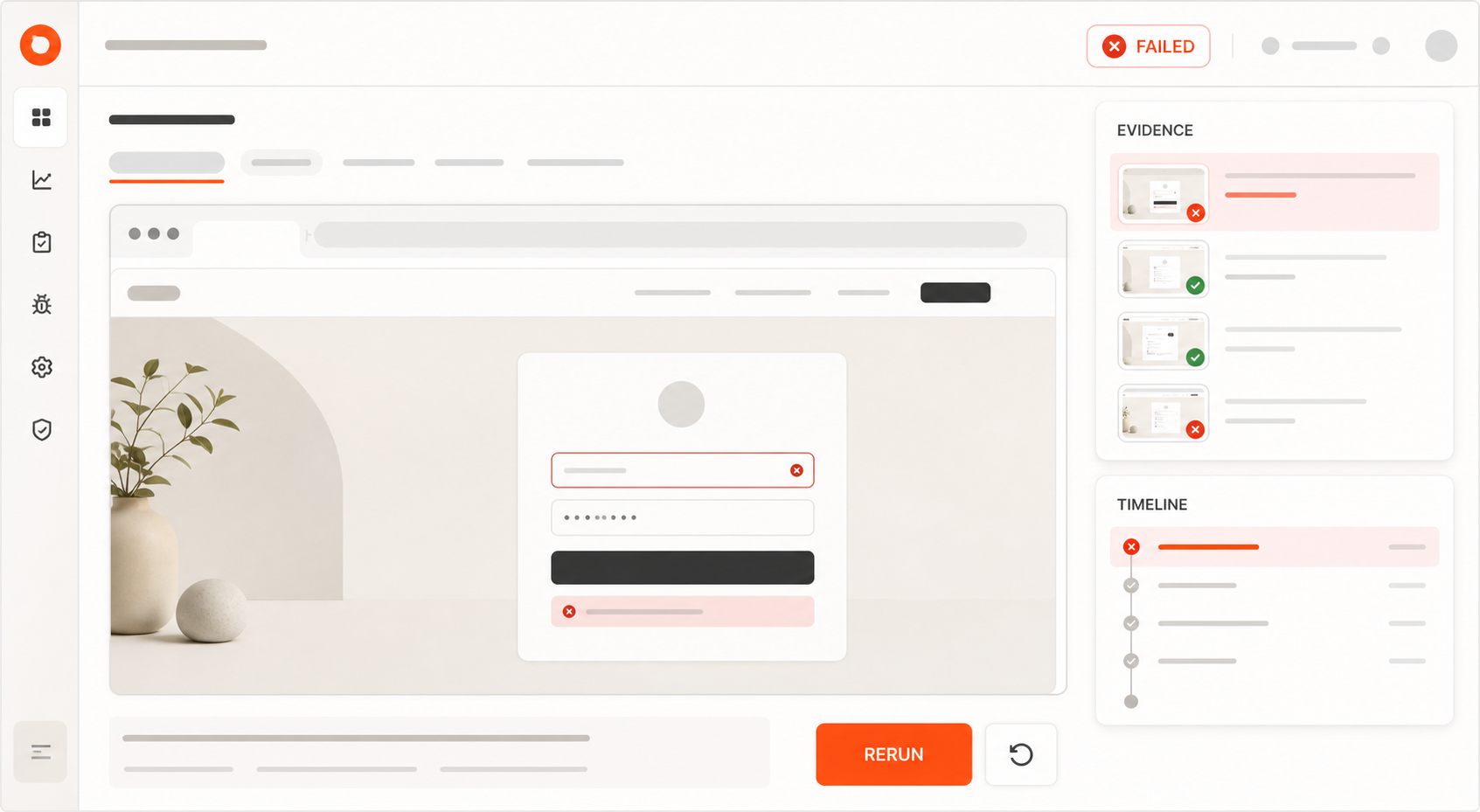
Each finished Run returns one of three Outcomes—Passed, Failed, or Needs Attention—with structured Evidence such as a summary, observations, an action timeline, and a temporary browser replay when available. A connected coding agent can create and manage Test Cases, start Runs, inspect Evidence, and bring failure context back to the fix.

Choose AlwaysQA when:

  • a coding agent needs a QA-specific MCP workflow rather than generic browser controls;
  • a small set of customer-critical web journeys must be checked after deployment;
  • developers and product owners want plain-language Test Cases instead of fixed scripts;
  • the team needs a durable Run record and evidence-backed handoff;
  • on-demand, Daily, or Weekly browser verification fits the detection window.

AlwaysQA is not the right choice when:

  • you need repository-owned Playwright test files;
  • every browser path must follow exactly the same scripted steps;
  • you need unit, component, load, penetration, native-mobile, or pixel-baseline testing;
  • you need high-frequency uptime monitoring or minute-level incident paging;
  • you are evaluating the reasoning and safety of your own AI agent;
  • you expect one tool to prove that the complete product is bug-free.

AlwaysQA also requires maintenance. Teams still need to keep Success Conditions meaningful, QA Accounts usable, test data safe, and critical-flow coverage aligned with the product. Agent-guided navigation removes fixed-script maintenance; it does not remove QA ownership.

Explore how AlwaysQA works or review its browser QA features.

AI testing tools that work alongside Playwright

Playwright teams do not need to replace their framework to benefit from AI test automation.

AI can support a Playwright workflow in four different ways:

  1. Generate test code. A coding assistant drafts Playwright files, fixtures, and assertions for engineers to review.
  2. Add visual validation. A service such as Applitools adds visual checkpoints and cross-browser comparison around existing tests.
  3. Manage adjacent coverage. A platform can own tests that do not need to live as Playwright code in your repository.
  4. Verify after deployment. AlwaysQA can independently attempt a saved critical flow in the deployed application and return the result through MCP.

That last distinction matters. A Playwright test proves that its scripted assertions passed in the environment and configuration where it ran. A post-deploy Run asks whether the customer-level Success Condition can be observed in the deployed product. The two signals can reinforce each other without pretending to be identical.

AlwaysQA does not currently generate or export Playwright test files. If owning .spec.ts files is a requirement, choose a code-generation workflow or a platform that explicitly supports that output. Use AlwaysQA as an additional post-deploy check, not as a disguised Playwright replacement.

For ideas you can adapt into engineered coverage, see the Playwright test generation prompt library.

A transparent comparison of representative tools

This table compares the job each product is best positioned to do. It is not a hands-on ranking, and the products are not direct substitutes.

OptionPrimary jobWhat the team ownsStrong fitImportant limitation
PlaywrightCode-first browser automationTest code, fixtures, assertions, CI, and maintenanceEngineering teams that need control and repository-owned coverageRequires test-engineering skill and ongoing code maintenance; it is not AI by itself
mablAI-assisted managed test creation and executionTest intent, review, platform configuration, and ongoing suite decisionsCross-functional teams that want natural-language assistance across managed testing workflowsPortability and behavior depend on the platform; verify export and versioning requirements
ApplitoolsVisual AI and cross-browser visual validationBaselines, approval policy, integration, and review decisionsTeams where visual correctness and rendering differences are release-criticalVisual evidence alone does not prove every business outcome
BraintrustEvaluation of LLM applications and agentsDatasets, tasks, scorers, thresholds, and review policyTeams testing probabilistic outputs, tool use, and agent trajectoriesNot a replacement for functional browser, API, or unit testing
AlwaysQAAgent-first post-deploy critical-flow verificationWorkflow intent, Success Conditions, QA Accounts, and response to EvidenceDevelopers and product owners using coding agents to protect important web journeysDoes not export Playwright code or replace broad deterministic test suites and specialist testing

Ten criteria for evaluating AI quality assurance tools

Product demos tend to show the test being created. Buying decisions should focus on the full operating loop.

1. What is the unit of automation?

Is the durable asset a code file, a recorded path, a plain-language Test Case, a visual baseline, or an evaluation dataset? That choice determines who can review it, version it, and repair it later.

2. How is success defined?

Look for explicit assertions, observable Success Conditions, visual approval rules, or scoring thresholds. “The agent completed the task” is not useful unless the product shows what evidence supports that conclusion.

3. Is execution deterministic, adaptive, or both?

Deterministic scripts are easier to reproduce but can be brittle. Adaptive agents can navigate changing interfaces but may take different paths. Neither model is always better. The tool should make uncertainty visible instead of quietly converting it into a pass.

4. What evidence survives a failure?

Ask whether you receive logs, screenshots, traces, observations, network details, action timelines, visual diffs, or replay. Then ask how long each artifact is retained and whether it can be shared safely with a developer.

5. Who maintains the tests?

AI does not eliminate maintenance. Someone still owns obsolete flows, changed requirements, credentials, test data, baselines, flaky infrastructure, and false confidence caused by weak assertions.

6. Can you export what you create?

If portability matters, verify whether the tool exports readable framework-native code, a documented data format, reports only, or nothing reusable outside the platform.

7. Where can tests run?

Check browser and device coverage, CI support, staging and production access, private-network requirements, geographic execution, and whether the tool can safely reach authenticated areas.

8. How are credentials and test data handled?

Use dedicated QA accounts and synthetic data. Ask how secrets are stored, whether they enter model context, what appears in screenshots and replay, and what is excluded from exported evidence.

9. What triggers execution?

Pull-request checks, deployment hooks, manual Runs, schedules, and production monitoring answer different questions. Match the trigger and frequency to the cost of detecting a failure late.

10. How is usage priced?

Compare total operating cost, not the entry price. Include test creation, execution allowances, parallelism, browsers, visual checkpoints, seats, retention, maintenance time, and overage behavior.

A practical two-week pilot

Do not evaluate an AI testing tool with a polished vendor demo. Use one workflow your own team understands.

  1. Choose a valuable flow. Login, checkout, onboarding, billing, permissions, or another journey where failure has a clear cost.
  2. Write the expected outcome. Define what must be observable for the test to pass.
  3. Create the coverage. Measure the time and expertise required, including credentials and test data.
  4. Run the healthy version. Confirm the tool can reach the result without manual rescue.
  5. Introduce a safe failure. Use a staging environment or controlled change and check whether the tool catches it.
  6. Give the result to a developer. Measure whether the evidence identifies a useful investigation boundary.
  7. Change the interface without changing the outcome. See whether the test survives and whether any adaptation remains trustworthy.
  8. Review maintenance and cost. Estimate the monthly work and usage required for the coverage you actually need.

Score the pilot on detection quality, false passes, false failures, time to diagnosis, maintenance effort, portability, security, and total cost. A tool that creates a test in thirty seconds but produces ambiguous failures may save less time than a slower tool with evidence developers can act on.

How to choose your AI test automation stack

Use the smallest combination that covers the risks your team actually owns.

  • Choose Playwright when engineers need deterministic, repository-owned browser automation.
  • Add visual AI when layout and rendering are part of the acceptance criteria.
  • Choose a managed AI authoring platform when more people need to create and maintain tests without working primarily in code.
  • Choose an AI evaluation platform when the system under test is an LLM application or agent.
  • Add AlwaysQA when a coding agent should be able to verify a deployed critical flow and bring Evidence back to the development workflow.

The best AI software testing tools make the testing boundary clearer. They show what was tested, what success meant, what happened, and what remains outside the result.

Start with one important workflow. If AlwaysQA matches the post-deploy job in your stack, create your first Test Case and give your coding agent a QA result it can act on.

FAQ

What are AI testing tools?

AI testing tools apply model-driven techniques to one or more parts of software testing, such as test creation, browser navigation, visual comparison, maintenance, failure analysis, or prioritization. The category includes products that solve very different jobs, so teams should compare the unit of automation and the evidence each tool produces.

What is the best AI testing tool?

There is no universal best AI testing tool. Playwright is a strong choice when engineers want repository-owned browser test code. Visual AI tools fit pixel and layout validation. Managed AI test platforms reduce authoring work. AlwaysQA fits teams that want a coding agent to trigger post-deploy critical-flow checks and receive actionable Evidence.

Is Playwright an AI testing tool?

No. Playwright is a code-first end-to-end testing framework, not an AI testing product. AI coding assistants can generate Playwright tests, and other platforms can add visual validation or managed execution around Playwright, but the framework itself remains a deterministic test runner controlled through code.

Does AlwaysQA replace Playwright?

No. Playwright is better when a team needs repository-owned test code, precise assertions, CI control, and broad engineered coverage. AlwaysQA adds a different layer: plain-language critical-flow checks run in a managed browser after deployment, with Outcomes and Evidence returned through MCP or the web application.

What is the difference between AI software testing and AI agent testing?

AI software testing uses AI to help test conventional applications. AI agent testing evaluates the agent itself, including its outputs, tool choices, multi-step decisions, safety, and consistency. These are different buying categories and usually require different tools.

Can AI replace a QA engineer?

AI can reduce repetitive authoring, execution, and failure-summary work, but it does not own product risk. People still need to decide which workflows matter, define acceptable outcomes, protect test data, review uncertain results, and decide whether the evidence is sufficient to release.
Related articles

Automated regression testing for web applications: what to automate and what to keep human

Automated regression testing uses software to rerun checks after a change and confirm that existing behavior still works. The ISTQB Foundation Level syllabus describes regression testing as checking that a change has not caused adverse consequences elsewhere in the system. For a web team, the best first candidates are usually critical user workflows that consume QA time, repeat frequently, have a controlled starting state, and produce an observable result. The goal is not to automate every test or remove quality assurance (QA) professionals from the decision. It is to take repetitive work out of the QA queue while giving people enough evidence to trust the result and investigate exceptions. Automation changes how the checks run; it does not choose the right coverage or define what a correct result looks like. A form that took about two days to regression test One of AlwaysQA's founders remembers a feature from a former workplace that looked straightforward from the outside: a user-facing, multi-page quiz. The form contained more than ten questions. Its behavior varied depending on the account and user role. Different answer paths produced a calculated result, and the application had to save that result correctly. For each scenario, a QA engineer had to:sign in with an account prepared for that case; move through the role-specific version of the form; consult a separate source of truth for the expected answers; exercise correct and incorrect paths; verify the calculated result and confirm that it was saved.Then the process had to be repeated across other accounts, roles, and paths. The founder recalls the complete regression pass taking about two days for the QA team. Other development work waited while the checks were completed. The team did not have an automation process for this workflow. In that context, a code-based browser suite appeared expensive to create and maintain. It would have needed to represent every relevant account state, role, form variant, answer path, calculation rule, and expected result. That does not mean a framework such as Playwright or Cypress could not automate the form. It reveals the real design problem: in this former team's case, the hard part was not clicking through the pages. It was maintaining the expected-result model behind every path. Regression testing is not the same as retesting a fix The terms are often mixed together during release work, but they answer different questions.Confirmation testing asks whether a specific defect was fixed. If your team uses “retesting” for that activity, this is the formal ISTQB term. Regression testing asks whether a change caused an adverse effect in behavior that should still work.The distinction matters because a successful fix does not prove that related behavior remains intact. The current ISTQB syllabus treats confirmation and regression as separate change-related testing activities and notes that regression effects can appear in the changed component, elsewhere in the same system, or in connected systems. Regression testing can also happen at different layers. A unit check can protect one calculation. An API check can protect a data contract. A browser check can protect a complete user-visible workflow. A person can explore behavior that is ambiguous or difficult to specify in advance. Manual and automated regression are therefore not competing definitions. Regression describes the purpose of the check. Manual or automated describes how it is performed. What should you automate first? Do not begin with the largest regression checklist. Begin with one workflow that is valuable enough to protect and bounded enough to evaluate. Use this decision matrix to screen candidates:Factor Strong automation signal Warning signalBusiness criticality Failure blocks a core journey such as sign-in, checkout, billing, or permissions The workflow has little effect on users or releasesRepetition QA performs substantially the same check for many releases The check is rare or still changing every dayObservable result The expected state can be seen in the interface or verified in a reliable output Success depends mainly on taste or interpretationStarting state The account, permissions, environment, and data can be prepared consistently Test data is unknown, shared, or changes underneath the runPath stability The intent stays consistent even if implementation details move The product team has not agreed on the intended behaviorManual burden Repetition consumes meaningful QA time or delays other work Automation would cost more to maintain than the work it removesFailure consequence A regression would affect users, revenue, access, or release confidence Failure is low-risk and easy to notice elsewhereA candidate does not need a strong automation signal in every row. But if you cannot describe its starting state and expected result, you are not ready to automate it. You are asking a tool to discover the requirement while also judging whether the requirement was met. The form example did not need to begin with every possible combination. One bounded path could have established a trustworthy first unit of regression work that the team could expand deliberately. Choose what must be proven before choosing how to automate it A browser test is valuable when the question is about the whole user journey. It is a poor place to prove every internal rule. The Cypress documentation on testing types draws a useful distinction: component tests isolate part of the interface, API tests exercise endpoints without rendering a page, and end-to-end tests run through the browser and backend as a cohesive system. Cypress also notes that end-to-end tests can require more setup, infrastructure, and maintenance. Its guidance expects teams to use a combination of test types rather than one layer for every problem.Test scope Use it to prove LimitationUnit or component Calculation rules, conditional interface logic, and isolated edge cases Whether the deployed journey works across systemsAPI or integration Data contracts, permissions, persistence, and backend calculations What a user can see and complete in the browserBrowser end-to-end The complete user-visible journey across the interface and backend The precise internal cause of a failureFor the quiz, the calculation rules could be protected below the browser. Data retrieval and persistence could be checked at the API or integration layer. A browser-level test could then answer the narrower integrated question: can a user with this prepared role complete this path and receive the expected saved result? This is a stronger design than asking one browser check to diagnose every possible cause. When it fails, lower-level coverage can help the team determine whether the problem lies in the answer data, calculation, persistence, or interface. Then choose how to run the browser check Once the team knows that a browser-level check is justified, it can choose an execution approach. These options are not mutually exclusive.Execution approach Consider it when Keep in mindCode-driven deterministic automation The path is stable and the team wants explicit control over each action and assertion The team owns the setup, code, test data, and maintenanceAI-guided browser execution The workflow has a clear user-visible intent and outcome, and the team wants to evaluate an alternative to maintaining fixed interaction steps It still requires controlled test state, explicit success criteria, evidence, and human review of uncertaintyHuman exploration The behavior is new, ambiguous, high-risk, or depends on product and domain judgment It is expensive and inconsistent for repeating the same well-understood path every releaseFollowing the real user path does not make a browser test universally more reliable than other tests. It makes it evidence for a different question. Playwright's testing guidance recommends checking user-visible behavior while avoiding hidden implementation details. It also recommends isolated tests with their own state because isolation improves reproducibility and prevents one failure from contaminating another. Design the verdict before you automate the path An automated test is only as useful as the decision it supports. Define the verdict and its evidence before choosing how the browser will move through the page. For one regression workflow, write down four things:Starting state: Which environment, account, role, permissions, and data must exist before the run? Instructions: What user goal or path should the check attempt? Success condition: What observable result proves that this specific path worked? Failure evidence: What would help a developer understand where observed behavior diverged from the expected result?For the anonymized form, a bounded specification could look like this:Starting state: a prepared test account assigned to one role; Instructions: complete one defined answer path and submit the form; Success condition: the expected result appears and the application saves it; Evidence: the scenario label, answers selected, expected result, observed result, failure step, and relevant browser observations.The success condition is deliberately observable. “The form works” is too vague. “The expected result appears and remains available after submission” is something a run can evaluate. Failure evidence should also help route the problem. If the expected answer or calculation differs from the stored data, the backend may need investigation. If the data is correct but the form shows, submits, or displays it incorrectly, the frontend may be the stronger lead. Evidence does not replace diagnosis, but it should prevent QA from rebuilding the entire path just to explain what happened. How this maps to AlwaysQA AlwaysQA is an AI-guided browser QA product for repeatable web-application workflows. Its current workflow supports the core of this model. A Test Case contains a Starting URL, plain-language Instructions, and an observable Success Condition. After a fresh AI-guided browser Run, AlwaysQA returns one of three Outcomes—Passed, Failed, or Needs Attention—with Evidence that can include a summary, observations, an action timeline, and a temporary replay. In AlwaysQA, Needs Attention separates an inconclusive run from an observed failure. When the agent cannot reach a confident conclusion or execution prevents a reliable check, it avoids forcing the result into a misleading pass or failure. Runs can be started on demand or on a Daily or Weekly Schedule. The current workflow is documented in How AlwaysQA works. These are product capabilities, not a promise that every workflow will run without maintenance or human review. AlwaysQA should complement the checks a team already trusts, not replace them by default. What should stay with human QA? Automation can perform a defined check. It does not own the quality strategy. Human QA should remain involved when the work requires:deciding which risks and variants deserve coverage; turning product intent into an observable success condition; exploring behavior that was not anticipated in a script or prompt; judging confusing UX or ambiguous requirements; investigating Failed or Needs Attention results; approving high-risk releases; specialist accessibility, security, performance, or domain testing.A passing browser run provides intentionally limited evidence: one path reached one expected condition from one starting state during that run. It does not prove that every role, answer combination, browser, integration, or risk is covered. That boundary is healthy. Once the team trusts the check, routine passing runs can leave the manual queue while QA professionals spend more time on coverage, investigation, and judgment. But the team should earn that trust through review rather than assume it because a test passed several times. Start with a one-workflow regression pilot You do not need a complete regression suite to learn whether automation is helping. A contained pilot is easier to review and easier to stop if the test does not produce useful evidence. 1. Choose one repeated, critical path Pick a workflow the team already checks frequently. Avoid the most complex feature simply because it consumes the most time. The first candidate should have an agreed purpose and a result the team can observe. 2. Record the manual baseline Before automating it, record how often QA runs the check, how long a typical pass takes, what setup it needs, and what other work waits. This is your baseline for deciding whether the pilot removes useful work. It is not an industry benchmark. 3. Define one complete test Complete this template:Start with: the environment, account, role, permissions, and required data. Attempt: one user-visible goal or path. Expect: one observable result. Capture on failure: the expected result, observed result, divergent step, and browser evidence.If the environment or data cannot be reset safely, resolve that before scheduling repeated runs. 4. Review every early result Run the test on demand first. Check whether a Passed result matches reality and whether a Failed or Needs Attention result contains enough evidence to act. Early human review is how the team learns where the specification, data, or execution needs work. While the check is being calibrated, run it on demand after relevant changes and review the result. Once it is trustworthy, choose a cadence that matches the workflow's risk and change frequency: an on-demand check before a release, or a Daily or Weekly Schedule for recurring coverage. Schedule a state-changing workflow only when its account and data can be reset safely. 5. Expand one variable at a time After the first path is trustworthy, add one role, data variant, browser, or cadence change at a time. This makes failures easier to attribute and prevents a large suite from hiding weak assumptions. Track outcomes that describe useful work, not vanity coverage:manual effort before and after the pilot; runs completed without manual repetition; Failed and Needs Attention rates; false or inconclusive results found during human review; investigation and maintenance effort; QA work or release steps that still wait on people.Do not declare success because the test count increased. The pilot is useful when the team trusts the evidence and can show that a meaningful repeated task no longer consumes the same QA attention. Earn trust one workflow at a time Choose one valuable repeated workflow, record its manual baseline, and define the evidence needed to trust its result. Review the early runs and expand only when that first check earns the team's confidence. If you have one critical browser workflow ready, you can create your first AlwaysQA Test Case and evaluate it from a clear Starting URL to an observable Success Condition.

Regression Testing Checklist for Web Apps

Regression testing is not just a long list of things to click before a release. For web apps, a strong regression checklist is a risk model. It helps the team decide what deserves coverage, where that coverage should live, and how quickly failures should be detected. The goal is fast feedback where possible and deeper confidence where necessary. Regression testing should support delivery speed, not become a bottleneck that encourages teams to bypass it. What regression testing means for a web app Regression testing checks whether existing behavior still works after a change. That change might be a new feature, a dependency update, a refactor, a database migration, a design update, or a configuration change. In a web app, regressions often appear far away from the code that caused them. A small change to authentication can break checkout. A design-system update can hide a form error. A permission fix can accidentally expose a dashboard view to the wrong role. That is why regression testing needs more than a generic checklist. It needs a map of the product's highest-value flows, highest-risk boundaries, and most fragile integrations. Start with release risk Not every change deserves the same regression effort. Before testing, classify the release risk:Release type Regression depth ExamplesLow risk Targeted checks Copy changes, static page updates, isolated styling fixesMedium risk Impacted flows + smoke tests Form changes, dashboard updates, API response changesHigh risk Critical flows + integration checks Auth, billing, permissions, data migrations, major refactorsCritical risk Full release gate Payments, production data changes, security-sensitive access changesThis keeps the checklist practical. A typo fix should not trigger a full release gate. A billing migration should. Map the directly impacted flows Start with the obvious question: what did this change touch? For each release, list:changed pages changed API endpoints changed database tables changed permissions changed user roles changed background jobs changed third-party integrations changed components shared across the appThen trace the user flows that depend on those pieces. If a shared component changed, do not test only the page where the work happened. Test the most important screens that reuse it. Authentication and session checks Authentication regressions are high-impact because they block access to the whole product. Include checks for:login with valid credentials login with invalid credentials logout expired sessions password reset multi-factor authentication if enabled social or SSO login if supported redirect behavior after login protected routes for logged-out usersSession behavior is especially easy to miss. A user might be able to log in successfully, but still lose their session after refresh, fail on a protected route, or land on the wrong page after authentication. Authorization and permissions Authentication asks who the user is. Authorization asks what that user is allowed to do. Regression checks should cover both the UI and the API. UI-only permission checks are not enough. A hidden button does not prove that a direct API request is blocked. Test:admin access standard user access read-only roles workspace or organization boundaries project-level permissions direct access to restricted URLs direct API calls for restricted actionsThis is one of the best places to combine API tests with browser checks. The browser check verifies the product experience. The API check verifies the security boundary. Critical user journeys Every web app has a small number of flows that define whether the product is working. These are the flows worth protecting first. Examples:sign up -> onboard -> reach first value log in -> open dashboard -> complete primary action create project -> invite teammate -> assign role upload file -> process data -> view result search -> filter -> open result -> export report checkout -> receive confirmation -> access paid featureThe right list depends on the product. For a SaaS app, signup and billing may matter most. For an internal tool, role-based access and data accuracy may matter more. Forms and validation states Forms fail in more ways than "submit works" or "submit does not work." Regression checks should cover:required fields invalid formats long input duplicate submissions loading states disabled states server-side validation errors network failures success states data persistence after refreshClient-side validation is useful, but it should not be the only protection. For important forms, test the full path from user input to server response to stored result. Payments, billing, and subscriptions Billing regressions can create support incidents even when the rest of the app looks healthy. If the product is monetized, test:checkout start successful payment failed payment cancelled checkout webhook handling invoice or receipt delivery subscription upgrade subscription downgrade plan limits access after payment access after cancellationPayment success without product access is still a serious regression. So is product access without the expected billing state. API contracts and backend behavior Modern web apps often fail because the frontend and backend drift out of sync. Regression checks should include API contracts for important endpoints. Cover:status codes response shape required fields empty responses pagination filtering sorting authorization errors rate limits if relevant backward compatibility for existing clientsDo not rely only on happy-path browser flows. A browser check may pass with one dataset while the API is already returning incomplete or unstable data for another user. Data migrations and data integrity Database migrations deserve their own regression thinking. Before deployment, check:migration runs successfully rollback plan exists where possible existing records still load new records can be created required fields have safe defaults indexes and constraints behave as expected reports and dashboards still calculate correctly background jobs can read the migrated dataAfter deployment, run production-safe checks against real system behavior. Avoid destructive checks in production. Use read-only checks, synthetic accounts, or controlled test data. Empty, loading, error, and degraded states Regression suites often over-test perfect data and under-test real product states. Include checks for:empty dashboards empty search results slow responses failed requests partial data permission-denied states expired links deleted records offline or degraded integrationsThese states matter because users hit them constantly. They also expose UI bugs that happy-path tests miss, such as hidden buttons, broken layouts, misleading messages, and stuck loading indicators. Responsive and browser-specific risks You do not need to test every browser and viewport for every release. You do need to test responsive and browser-specific risks when the change touches layout, navigation, forms, uploads, media, charts, or complex interactions. Prioritize:mobile navigation sticky headers and footers modals tables file uploads date and time inputs charts and canvases scroll containers keyboard interactionsCross-browser testing is most useful when it is targeted. Run broad cross-browser checks on a schedule. Run focused cross-browser checks when a release touches known fragile areas. Emails, jobs, queues, and webhooks Some regressions happen outside the visible browser session. For products with asynchronous behavior, include:email delivery email links background job execution queue retries webhook receipt webhook signature validation notification delivery delayed status updates eventual consistencyThe user flow is not complete when the button click succeeds. It is complete when the expected downstream work happens. Search, tables, reports, and realistic data Dashboards can look fine with empty test accounts and fail with real product data. Use realistic data for:tables filters search sorting pagination exports reports charts permission-scoped listsInclude edge cases such as long names, missing optional values, many records, duplicate labels, and mixed statuses. This is especially important for admin panels and operational dashboards. Previously fixed bugs Every high-impact bug should trigger one question: can this failure realistically return? If yes, add a regression check at the lowest reliable layer. That might be a unit test, component test, API test, browser check, or production-safe synthetic monitor. Do not turn every bug into an end-to-end test. The best regression test is the cheapest test that catches the failure clearly. CI/CD regression checks Regression testing works best when the pipeline runs the right checks at the right time. On pull requests:linting type checks unit tests component tests fast API contract checks targeted browser smoke testsBefore deployment:critical-path E2E checks integration checks migration checks if needed selected visual checks for high-risk UI changesAfter deployment:production-safe smoke tests synthetic user flows key API health checks monitoring and alert checksOn schedule:broader regression suite cross-browser checks visual regression checks slower end-to-end flows lower-priority edge casesThe purpose is not to run everything all the time. The purpose is to catch obvious failures early and deeper failures at the right moment. What to automate first Do not automate the entire checklist at once. Prioritize tests by impact, frequency, stability, and maintenance cost. Use this as the first-pass prioritization table:Flow or risk area Automate first? Best test layer Why it mattersLogin and session Yes E2E smoke + API If access breaks, the product is effectively down.Signup or onboarding Yes E2E It protects activation and first value.Permissions boundary Yes API + E2E UI-only checks miss direct API access.Checkout or subscription Yes, if monetized E2E + webhook/integration Payment success without app access still creates a production incident.Critical form submission Usually Component/API + selected E2E Most bugs hide in validation, loading, and server-error states.Dashboard with realistic data Usually E2E smoke Empty test accounts do not reveal table, filter, permission, and loading issues.Visual layout Selectively Visual regression Use it on stable, high-value screens, not every page.Previously fixed high-impact bug Case by case Lowest reliable layer Automate it when the failure can realistically return.Production-safe smoke after deploy Yes Synthetic browser check It catches deploy, config, auth, and routing failures quickly.Good first regression tests are stable, high-value, and easy to debug. Bad first regression tests are low-value, highly dynamic, difficult to set up, and likely to fail for reasons unrelated to product quality. The first goal is not maximum coverage. The first goal is a regression suite the team actually trusts. For a practical framework for choosing that first workflow, read what to automate and what to keep human. Where AI agents fit into regression testing AI does not remove the need for a regression strategy. It helps teams operationalize that strategy faster. In a technical QA workflow, AI agents can help with:converting product flows into regression scenarios generating initial browser checks or Playwright-style test drafts suggesting edge cases from visible UI, form states, and route behavior turning bug reports into regression candidates identifying impacted flows from a code change or issue description producing reports with screenshots, traces, and failure summaries helping maintain regression coverage as the product evolvesThe value is not "AI clicking around randomly." The value is structured, repeatable QA work: flows, assertions, evidence, reports, and continuous checks. For example, an AI-assisted workflow can take a critical flow such as: login -> create project -> upload file -> generate reportand help turn it into a regression scenario that can be reviewed, executed, and improved over time. That is where tools like AlwaysQA can fit into a modern QA stack. AlwaysQA helps teams create and run regression checks for critical web app flows before releases, after deployments, or on a schedule. Example AlwaysQA check: User can log in, create a project, upload a CSV file, wait for processing, and see the generated report with no console errors or failed network requests.That kind of check is specific enough to run repeatedly and broad enough to catch a real product regression. The practical starting point is simple: describe one business-critical flow in plain English, run it in a browser, and keep the failure report close enough that a developer or coding agent can act on it. Final regression testing checklist Use this condensed checklist before a release:Has the release risk been classified? Are directly impacted flows covered? Are shared components covered? Are authentication and session behaviors still valid? Are authorization rules tested at UI and API level? Are billing and subscription states covered if impacted? Are critical user journeys tested end-to-end? Are forms tested through validation and state transitions? Are API contracts stable? Are migrations and data integrity risks covered? Are empty, loading, error, and degraded states tested? Are responsive and browser-specific risks reviewed? Are emails, jobs, queues, and webhooks validated? Are tables, filters, search, and reports tested with realistic data? Have previously fixed bugs been reviewed for regression coverage? Is the test environment deterministic? Are flaky tests tracked and owned? Does the CI/CD pipeline run the right tests at the right time? Are production-safe smoke checks in place after deployment?A strong regression checklist is not a long list of things to click. It is a risk model. It helps the team decide what deserves coverage, where that coverage should live, and how quickly failures should be detected. Turn your regression checklist into running tests A checklist is useful. A running regression suite is better. AlwaysQA helps teams protect critical web app flows after deployment, including signup, login, checkout, dashboards, forms, permissions, integrations, and previously fixed bugs. Use it to monitor important user journeys, catch regressions earlier, and keep product quality visible after every release. If your team already knows which flows break releases, start there. Pick one login, checkout, onboarding, upload, billing, or dashboard flow and turn it into a repeatable browser check. Start monitoring your app with AlwaysQA